


What is llms.txt? Understanding Its Impact
What is llms.txt? Understanding Its Impact
When a person visits your website, they skim, scroll, click menus, and quietly ignore the boilerplate. A large language model does not do that well. It can read pages, but it also burns precious context on navigation, cookie banners, repeated headers, and bits of layout that are meaningful to browsers, not to language.
is a simple attempt to fix that mismatch by giving AI tools a tidy, human-readable starting point for your most useful content.
What is llms.txt?
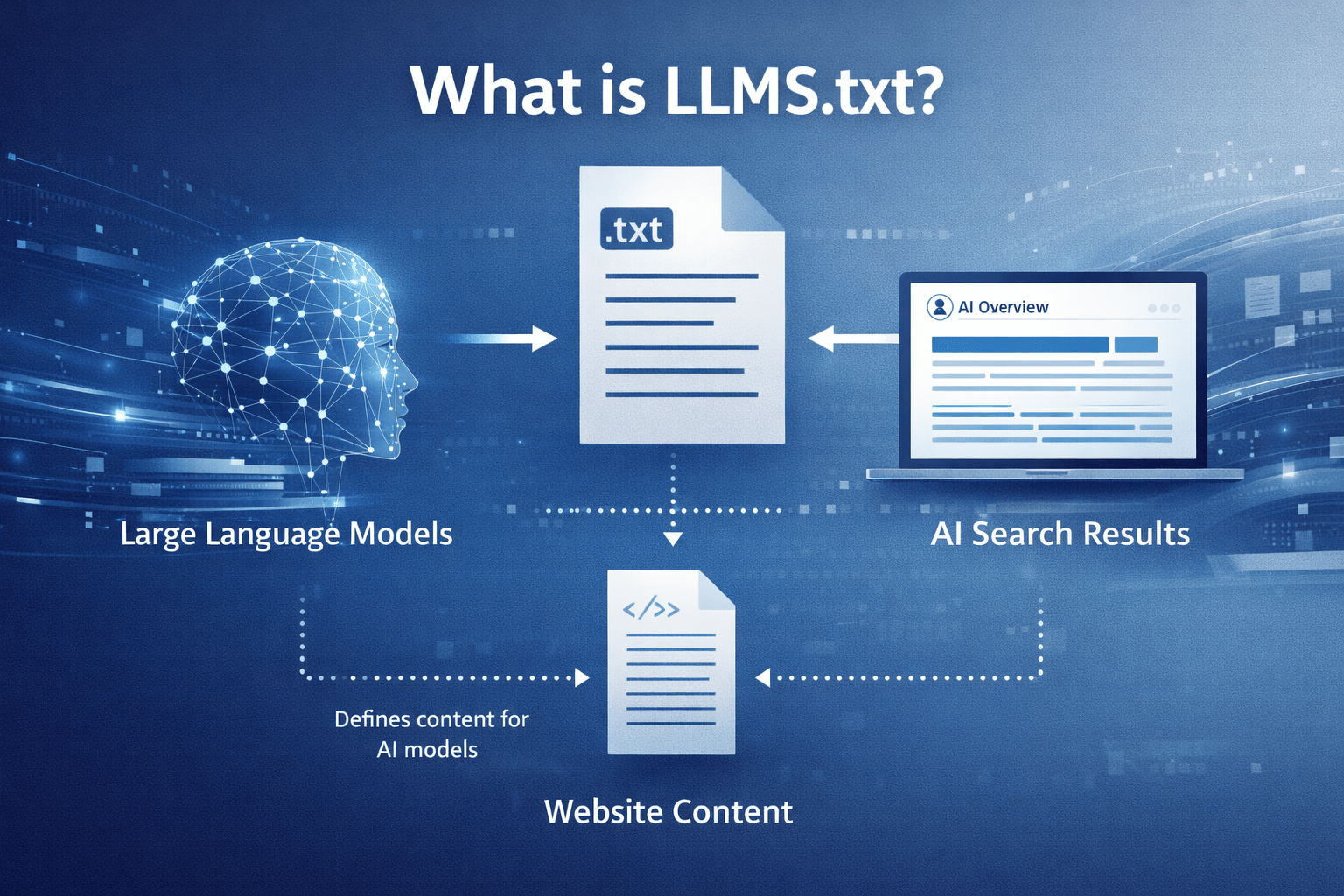
is a plain-text, Markdown file placed on a website (commonly at ) that summarises what the site contains and points to the best pages to read. It is a recently proposed convention (introduced in 2024) intended to help LLM-powered tools pull accurate context without scraping everything.
Think of it as an editor’s note to an AI assistant: “If you want to answer questions about this site, start here, and prioritise these sources.”
Unlike files that focus on indexing or crawl permissions, is mainly about clarity and prioritisation. It is not a magic ranking trick, and it does not force any model to behave. It is a voluntary signpost.
Why people started publishing it
Website content has become more machine-retrieval heavy, and not just via search engines. Support bots, coding assistants, internal knowledge agents, and procurement tools increasingly fetch and read documentation on demand.
This is where context limits matter. Even strong models can only accept so much text at once, and lots of that budget gets wasted when the input is messy or repetitive.
A small, curated index helps in three practical ways:
- It reduces noise by steering tools away from irrelevant pages.
- It makes retrieval cheaper by limiting how much needs fetching and cleaning.
- It gives you a chance to state “how to use this material” in a place agents can reliably find.
The structure (it is strict in a helpful way)
The proposal uses Markdown on purpose. You can open it in a browser, read it in a repo, and parse it with lightweight tooling.
A typical follows a predictable pattern:
- It starts with exactly one H1 () naming the site or project.
- It includes a short summary as a Markdown blockquote.
- It can include a small amount of free text (paragraphs or a list).
- It then provides one or more H2 sections () containing link lists to key resources.
- A section titled has a special meaning: it marks links that can be skipped when an agent needs to keep context short.
Here is a compact example layout:
The format looks simple because it is. The discipline is in deciding what deserves to be on the short list.
How llms.txt Differs from robots.txt and sitemaps
It is tempting to call “robots.txt for LLMs”. The analogy is useful, but only up to a point.
is about permissions and crawl behaviour. is about coverage and discovery. is about meaning and priority, which is why it often lists far fewer URLs than a sitemap.
| File | Primary job | Typical audience | What it contains | What it is not |
|---|---|---|---|---|
| Control automated crawling | Search crawlers | Allow/Disallow rules, crawl hints | A guide to your best content | |
| Enumerate pages for indexing | Search engines | Lots of URLs, often most public pages | A curated reading list | |
| Provide a curated, LLM-friendly index | AI agents and LLM tools | Summary plus prioritised links (often docs in clean formats) | An enforcement mechanism or access control |
Many sites will keep all three. They solve different problems, and they can work side by side without conflict.
Where can be genuinely useful
The file makes the most sense wherever people ask questions that need precise, source-based answers. If your site has deep information that is easy to misunderstand when skimmed, a curated guide pays off.
This shows up in several common patterns:
- Developer documentation
- Product policies and pricing rules
- Educational course pages and handbooks
- Research repositories and technical reports
- Public-sector guidance and compliance material
- High-churn knowledge bases where pages change often
Even a small business site can benefit if it has a clear “single source of truth” for services, terms, and support boundaries. The win is not flashiness, it is fewer wrong answers.
How to write one that AI tools will actually use
A weak is basically a second sitemap. A strong one reads like a carefully edited briefing note, with links that map to how real questions are asked.
A practical checklist helps:
- Write for retrieval, not marketing: keep the summary factual and avoid vague claims.
- Prefer stable URLs: link to canonical docs pages, not campaign pages that disappear.
- Use descriptive link text: “API reference” beats “click here”.
- Add short notes after links: a one-line description tells an agent why the page matters.
- State usage expectations: if licensing matters, say so plainly.
A good way to decide what to include is to review your support tickets, sales questions, or internal Slack threads and identify the pages people should have read first.
Here are a few content patterns that tend to work well, when written plainly:
- High-signal starting points: quickstart, “how it works”, core concepts
- Boundaries and constraints: rate limits, supported environments, known limitations
- Definitions: terminology, naming conventions, data model notes
- Policies people argue about: security posture, privacy approach, refund rules
- Deep references: API specs, schemas, CLI commands
Integration with Other AI-Optimised Content Strategies
While llms.txt provides a curated, human-readable index for AI tools, it is most effective when combined with other AI-optimised content strategies. These complementary practices ensure your site is both discoverable and easily interpreted by language models and retrieval systems.
| Strategy | Purpose & Benefit | How it Works with llms.txt |
|---|---|---|
| Structured Data | Adds machine-readable metadata (e.g., Schema.org, JSON-LD) | Enhances discoverability and context for both search engines and AI agents referenced in llms.txt |
| Content Chunking | Breaks long documents into logical, linkable sections | Allows llms.txt to point directly to concise, high-value content, improving retrieval precision |
| Semantic HTML | Uses meaningful tags (e.g., , , ) | Reduces noise and helps AI distinguish between main content and navigation or boilerplate |
| Canonical URLs | Ensures each resource has a single, stable address | llms.txt can confidently reference canonical sources, avoiding duplication and confusion |
| Clear Licensing Info | States usage rights and attribution requirements in plain language | llms.txt can summarise or link to licensing, reducing ambiguity for AI tools and downstream users |
| Regular Updates | Keeps all content, including llms.txt, current and accurate | Ensures AI agents always access the latest, most relevant information |
Publishing it without creating another maintenance burden
The file is small, but it can still go stale if it is hand-edited and forgotten. Most teams that stick with it treat it as part of documentation hygiene, not as a one-off task.
Two approaches are common:
- Keep it hand-written but review it on a schedule, alongside major doc changes.
- Generate it during builds, using the same source content that generates your docs, then commit or publish it as an artefact.
Tooling is growing quickly. Documentation frameworks and plugins can generate an , and some teams also produce a companion that aggregates larger chunks of text for agents that want one fetch instead of many.
This is also a good place to be disciplined about what “public” means. If a page should not be read by automated tools, it should not be public in the first place, and should still reflect that stance.
A note on
Alongside , some sites publish , which is basically a flattened version of the referenced material. Where is the table of contents, is the compiled booklet.
That can be handy for:
- offline ingestion into internal tools
- quick context loading when link fetching is expensive
- keeping answers consistent when content spans many pages
It also increases the need to think about licensing, copying, and how frequently you want to regenerate the file.
Security, licensing, and trust issues to take seriously
Making content easier for machines to consume can create new failure modes, even when the intent is positive.
One issue is manipulation. If an AI tool blindly trusts whatever it reads in , a compromised site could plant misleading instructions or point to harmful destinations. This is not unique to , but the file’s purpose makes it a tempting target.
Another issue is rights and permitted use. If your docs are public but have conditions (or if you want to specify attribution expectations), gives you a natural place to state that in plain language. It will not enforce the rules, yet it can reduce ambiguity.
Privacy is simpler but still worth stating: do not put anything in that you would not publish on a normal page. The file is public, cacheable, and easy to scrape.
What results to expect (and what not to)
Publishing is best treated as groundwork. There is no reliable promise that adding it will increase traffic, citations, or rankings in LLM answers next week. Adoption across tools is still uneven, and many systems still rely on their own crawlers, indexes, and retrieval pipelines.
The upside is resilience. If AI agents become more consistent about checking , the sites that already provide a clean guide will be easier to interpret, easier to cite accurately, and less likely to have their content misread through messy HTML extraction.
For organisations in Aotearoa New Zealand that care about clear public information, accurate policy interpretation, or strong developer experience, it is a small, low-cost artefact that signals intent: “Here is the authoritative starting point, and here is how to read it.”
Metrics and Measuring Impact
To ensure that your llms.txt implementation delivers real value, it’s important to track its effectiveness over time. By monitoring key metrics, you can demonstrate improvements, identify areas for refinement, and justify ongoing investment in maintaining your curated index.
Suggested Metrics
- Reduction in Irrelevant Bot Traffic: Monitor server logs for a decrease in requests to non-essential or boilerplate pages by AI-powered bots and agents.
- Improved Support Ticket Resolution: Track changes in the volume and type of support tickets, especially those related to users not finding information or receiving incorrect answers from AI tools.
- Increased API or Documentation Usage: Measure whether key resources highlighted in llms.txt see increased traffic, downloads, or engagement.
- Higher Quality AI Responses: Assess the accuracy and relevance of answers provided by AI assistants referencing your site, either through user feedback or direct evaluation.
- Faster Onboarding and Fewer Misunderstandings: For internal or developer-facing documentation, track onboarding time and the frequency of repeated questions.
Methods for Tracking and Analysing Metrics
- Web Analytics: Use tools like Google Analytics or server-side logging to monitor traffic patterns and identify shifts in bot or user behaviour.
- Support System Integration: Tag and categorise support tickets to track changes in common issues before and after llms.txt deployment.
- API Monitoring: Implement analytics on API endpoints or documentation pages to observe usage trends.
- User Feedback Surveys: Periodically survey users and internal teams to gauge satisfaction with information retrieval and AI-generated answers.
- A/B Testing: If feasible, compare metrics between groups or time periods with and without llms.txt in place.
Case Studies and Testimonials
- Example: After implementing llms.txt, a SaaS provider observed a 30% reduction in irrelevant bot traffic and a 15% increase in API documentation page views. Their support team reported fewer tickets about “where to find” core resources, and user feedback highlighted improved accuracy in AI-generated responses.
- Testimonial: “Since adding llms.txt, our developer onboarding has become noticeably smoother. New hires find the right docs faster, and our internal AI assistant gives more precise answers.” — Documentation Lead, Tech Startup